Pricing Plans
Choose the Plan That Fits Your Needs
Discover the perfect plan for your financial needs with Spendly's flexible pricing options.
BASIC Expense TrackingTransaction CategorizationBasic Budget ManagementLimited Customized AlertsTransaction HistoryBasic Security Measures
FREE
Expense TrackingTransaction CategorizationBasic Budget ManagementLimited Customized AlertsTransaction HistoryBasic Security MeasuresPRO - Most PopularAll FREE FeaturesEnhanced Budget ManagementAdvanced Customized AlertsComprehensive Transaction ReportsMulti-Device AccessSecure Data EncryptionPriority Customer Support
$10/month
All FREE FeaturesEnhanced Budget ManagementAdvanced Customized AlertsComprehensive Transaction ReportsMulti-Device AccessSecure Data EncryptionPriority Customer SupportPREMIUMAll PRO FeaturesExpense ReportsReceipt ScanningInvestment TrackingTax Preparation AssistancePremium Security Suite24/7 VIP Customer Support
$20/month
All PRO FeaturesExpense ReportsReceipt ScanningInvestment TrackingTax Preparation AssistancePremium Security Suite24/7 VIP Customer SupportCompare
Compare Price Tiers
Find the perfect plan that matches your financial goals.
BASIC
FREE
PRO
$10/month
PREMIUM
$20/month
Expense Tracking

Transaction Categorization
Basic Budget Management
Limited Customized Alerts
Transaction History
Basic Security Measures
Enhanced Budget Management

Advanced Customized Alerts
Comprehensive Transaction Reports
Multi-Device Access
Secure Data Encryption
Priority Customer Support
Expense Reports
Receipt Scanning
Investment Tracking
Tax Preparation Assistance
Premium Security Suite
24/7 VIP Customer Support
FAQ
Got Questions? We Have Answers!
Find answers to commonly asked questions about Spendly and its features below. If you have more specific inquiries, feel free to reach out to our support team for assistance.
What is Spendly?
Is there a free plan available?
How do I track my expenses?
Are my financial data and transactions secure?
Can I use Spendly on multiple devices?
Be the First to Know
Sign up now for exclusive access to our upcoming newsletter. Get financial insights and tips delivered to your inbox first. Don't miss out — reserve your spot!
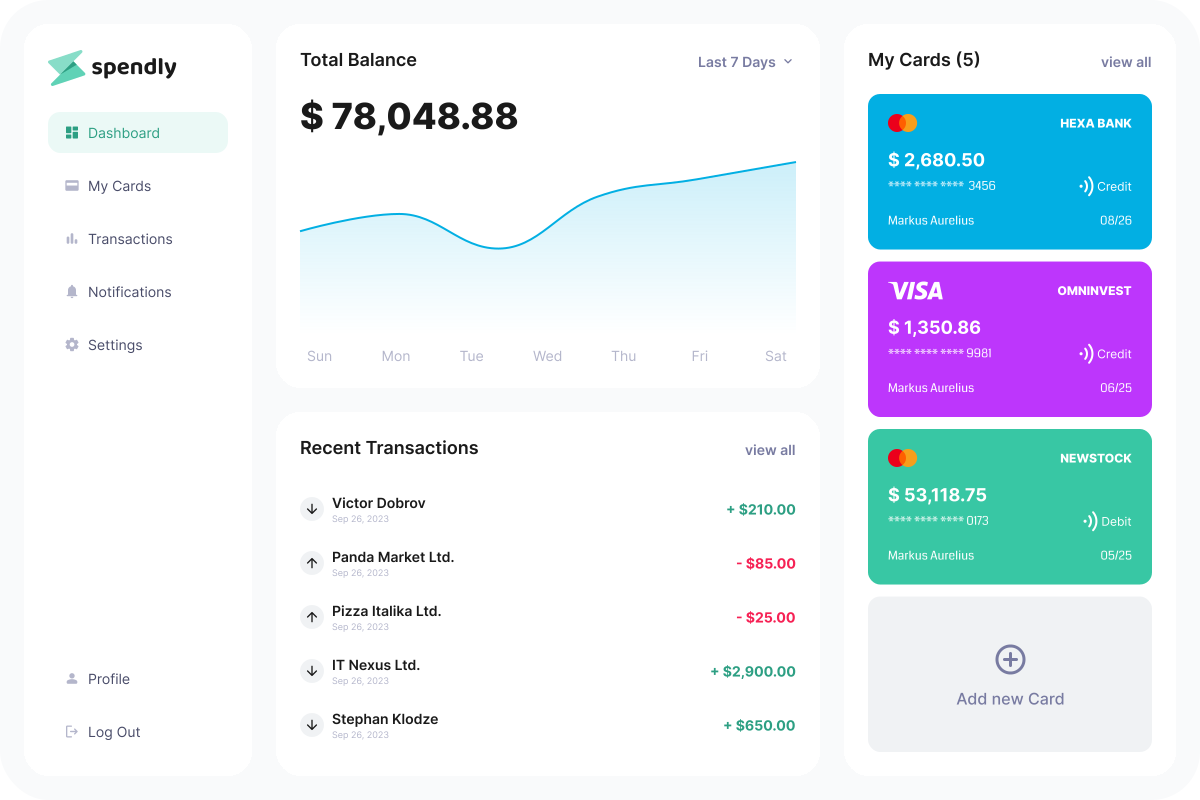


Download App

Manage your finances on the go with the Spendly mobile app. Download it today for easy expense tracking and customized alerts.
© Copyright 2023. All rights Reserved.